Journaling
A journal page is a blank sheet for a day, closer to a scrapbook than a text box: writing, photos, video, sound and tape, placed by hand exactly where you put them.
- Open oneThe small pen mark on a day, anywhere it appears.
- Add somethingThe tray: writing, a picture, a recording, a strip of tape.
- Arrange itDrag, resize and turn anything on the page.
- Choose the paperPlain, squared, dotted or lined, in a colour of your own.
- Write nothingNothing asks for one. A day without a page just stays blank.
A free page for every day
Behind the pen mark on a day sits a blank sheet: writing, photos, video, sound, a strip of tape, all placed by hand. Nothing here is a form or a template, and it's closer to a real notebook than anything else in Planye.
The page reads the same at any size, so what you arrange at a desk holds together on a phone. Journalling happens where the photos are, and that's rarely a desk.
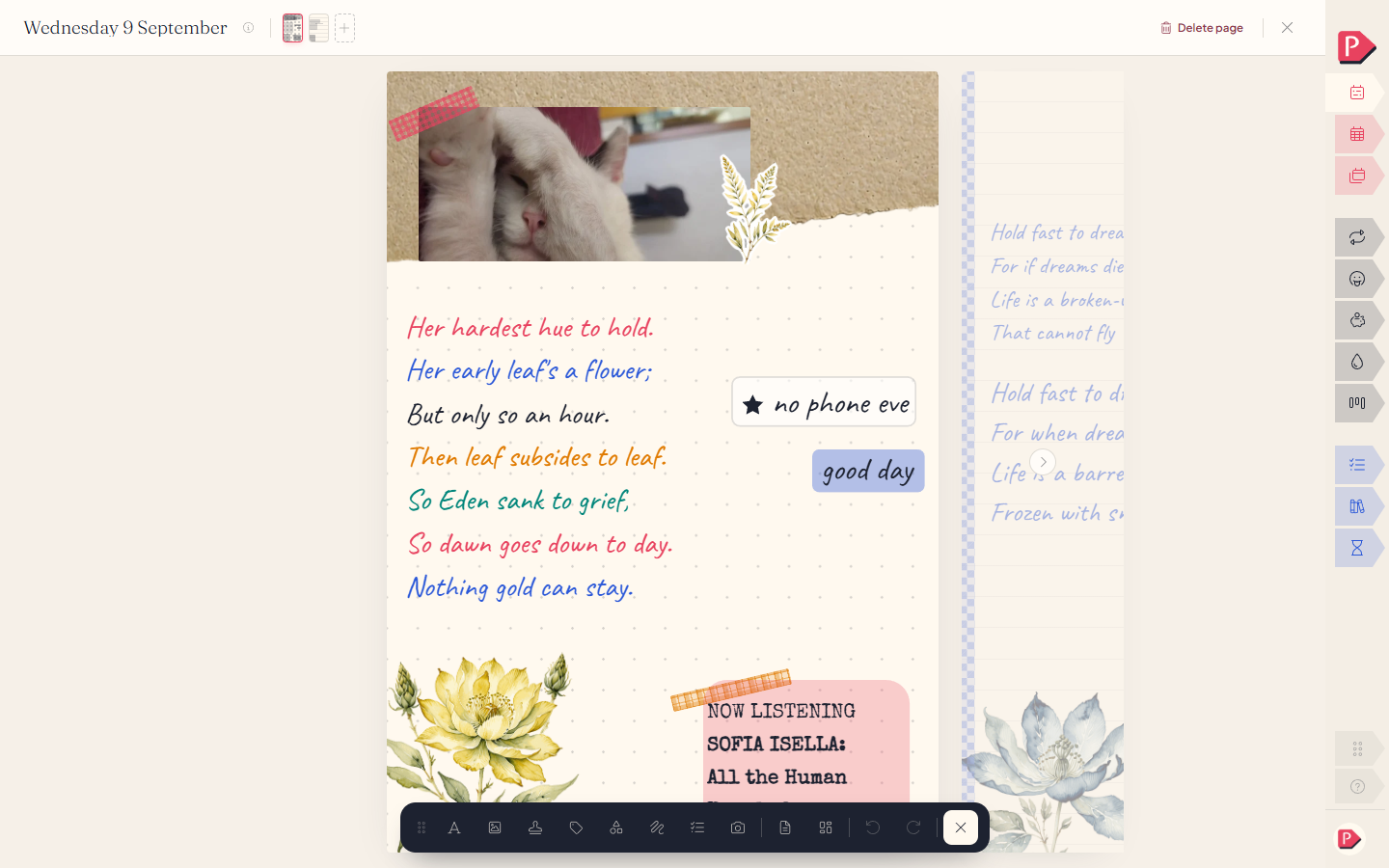
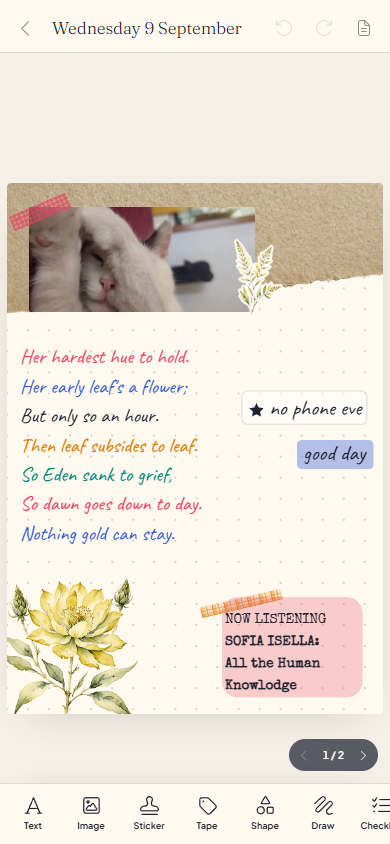
Adding something to the page
Text, a photo, a video, a capture, a checklist, a callout, and a strip of tape. Press one to drop it on the page, or drag it to exactly where you want it to land.
The tray runs along the top.
Adding a photo to a journal page from the insert tray
A bar along the bottom, showing what you can add until you pick something up, then what you can do to it.
Adding a photo to a journal page from the insert tray
Placing, resizing, turning
Every block on the page has a position, a size, a tilt and a place in the stack, and you set all four by hand. Drag to move it, use its handles to resize or turn it, and nudge it forward or back a layer when two things overlap.
a page you arranged shouldn't come back to you as a listMoving, resizing and turning a photo on the page
A block of writing grows with the words
Text has no fixed size: its box is exactly as tall as what's written inside it.
- The sides change how wide it is, and the height follows.
- The top or bottom resize the words themselves.
A block of writing growing as the words are typed
A block of writing growing as the words are typed, on a phone
Making a photo right here
Capture opens your camera directly, so you can take the photo you need without leaving Planye.
Choosing the paper
A small chip on the page opens a panel for the sheet itself: which ruling it has, lines, dots, a grid or plain, the colour of that ruling, a shade for the page, and whether it stands portrait or landscape. You set these once for the whole page.
Switching the paper's ruling, its colour and the page's shade
Questions about journalling
The details, for when you want them. Nothing here is required reading.Can I bring a task from my week onto a journal page?
Yes. A quoted task block sits on the page and stays linked to the real one, so ticking it here ticks it in your week, and the other way round.
If that task is later removed from the week, the block stays on the page and reads "No longer on this day" rather than vanishing.
Can one day have more than one page?
Yes, as many as you want. Turn past the last one and a fresh blank sheet is waiting.
What happens if I remove a page?
Everything on it goes with it, in one move. Removing the last page for a day leaves that day unwritten again, the blank state it started in.
Does a journal page carry forward like a category or a habit?
No. A page is about the specific day it was written on, and there's nothing to offer forward: tomorrow is a different day with its own blank page waiting.
Where do I find the pen mark for a day?
Where the pen mark appears
- Week categories beside the tabs, on a phone.
- Month under the date, in its square.
- Year as a small trace under the day number.
A day that already has a page draws its mark in your accent colour, so it says a page exists without saying how much is on it.
How is a time capsule different from an ordinary journal page?
It's the same kind of page underneath, wrapped in one extra idea: you seal it to a day of your choosing and it stays shut until then. See Capsule.
Can I keep a journal that isn't tied to a day?
Yes, a notebook. It has a name instead of a date, can go in a folder, and opens onto the same kind of page. See Journal.