Month
Calendar is your monthly planner view: the whole month in one grid, the way a wall calendar hangs, for the questions a single week cannot answer, with Tracking underneath for how those days actually went.
- Write on a dayClick the day and type.
- Move somethingDrag it onto another day.
- Open a journal pageThe small pen mark under a date.
- Rate a dayTracking, under the grid. Pick a day, tap the pips.
- See intent insteadPlan, the month's other half, which holds no dates.
The whole month at once
Calendar is the month seen from a distance: every day in one grid. It's for the questions a single week can't answer, like what the run-up to the 20th looks like, or whether there's a free weekend anywhere in here.
The days that spill over from the month before and the month after sit in the same grid, lightly, so the last row never reads as a mistake.
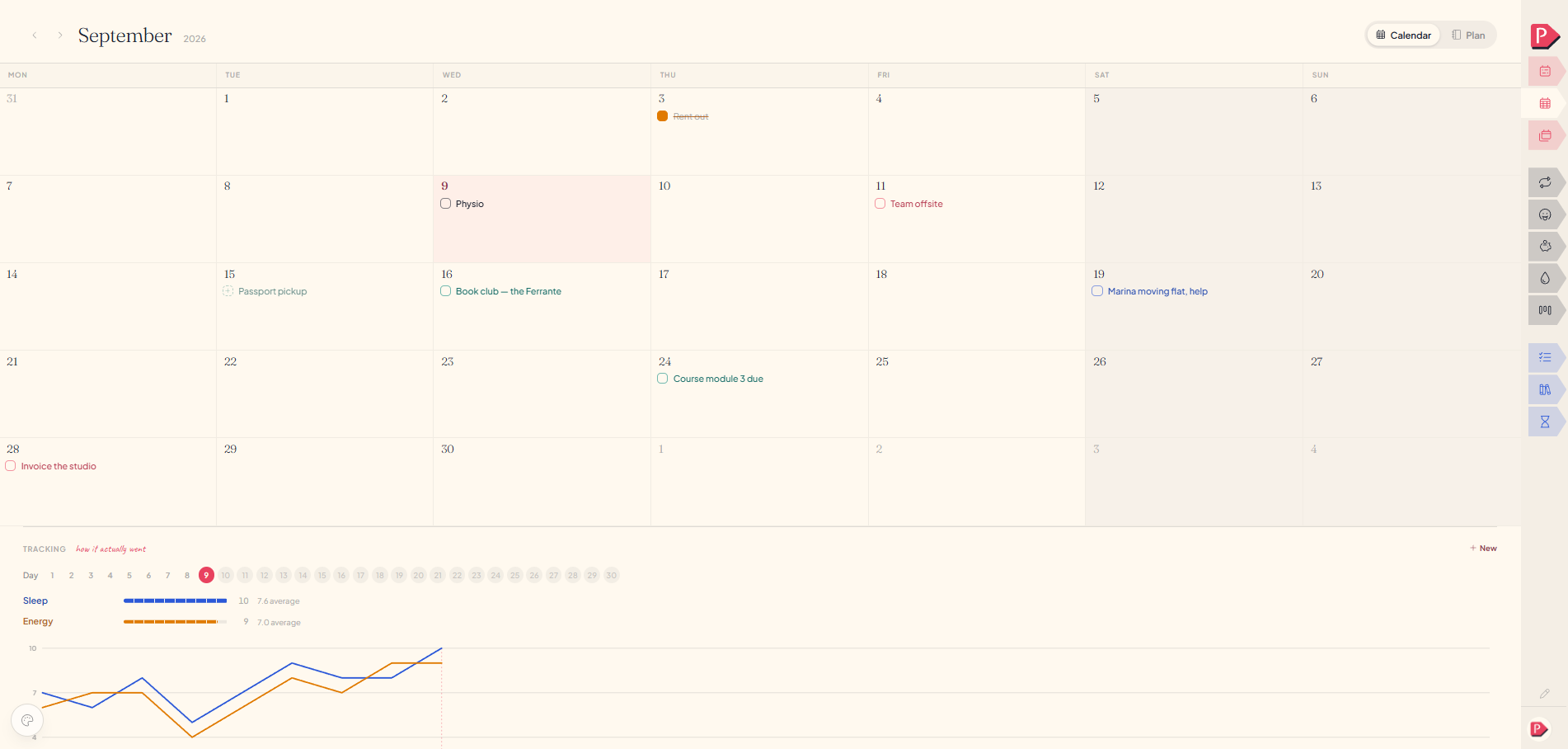
Writing straight onto a day
A line written here belongs to the day, not to any category. It asks for the words and a colour, and nothing else: no category, no hour.
Point at a day and a dashed + appears. Press it, or click the empty paper under the date, and a field opens there. Type, press Enter.
Adding a task straight onto a day in the calendar
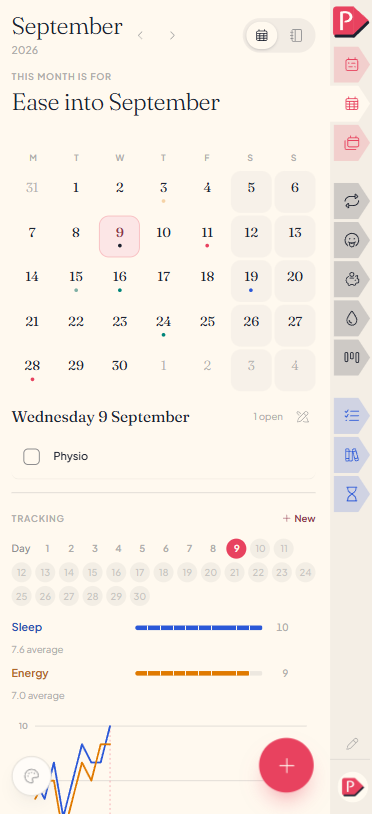
Tap the day and a sheet opens, headed "Add to" that date.
Adding a task straight onto a day in the calendar
Moving things between days
Drag a line from one day and drop it on another. It keeps its colour, and dropping it back where it started does nothing, so you never have to aim carefully to cancel a drag.
Moving a task straight onto a day in the calendar
Tap the event to open the sheet and change the date.
Moving a task straight onto a day in the calendar
The small pen mark on a day
A day with a journal page carries a quiet mark under its date, and pressing it opens that page. It says only that a page exists, never how much is on it. See Journaling.
a count would turn a private page into a scoreTracking
Tracking is how the days actually went, out of ten. It sits under the grid, because it reads the same days back: the squares say what was on a day, the tracks say how it went. You name the things worth watching (sleep, stress, how the work went) and give each one a rating on each day, and the chart underneath draws the month.
- Add something to track with New: a name and a colour. Last month's are offered back as dashed pills, with Sleep, Stress and Productivity beside them until you keep or dismiss each.
- Rate a day by picking its number in the Day row, then tapping the pips on each line. Tapping the pip that's already the rating clears it. Days that haven't happened can't be rated.
- Rename or recolour by clicking the name. Ratings follow the row, so a rename never rewrites a month.
- Remove takes the line and its ratings off the month.
Adding something to track and rating a day
Every line shares one scale of 1 to 10 and shows its own average, which is the point of putting sleep and stress on the same picture: two lines together say something neither says alone. Days you did not rate are drawn as gaps rather than joined across.
**The year has no Tracking**. A year is too far away to rate a day honestly. It gets Memories instead, and Mood is the one-word version of the same question.
Questions about the month calendar
The details, for when you want them. Nothing here is required reading.What's the difference between Calendar and Plan?
Calendar reads dates, Plan reads intent. One is thirty-odd boxes with whatever you wrote onto them, with Tracking underneath saying how those days went; the other is what the month is for, with no dates in it at all.
- Calendar when, how the month is shaped, and how the days went.
- Plan what it's about: tasks, seven milestones, the wheel.
See Plan.
Why don't my week's tasks show up here too?
They're a different list on purpose. The calendar can't hold every little task we do along the days, or it would make it impossible to read what's really important. But any task added to the month will show as suggestion on the week as well.
How do I remove something I put on a day?
Open it and press Remove: a quiet word at a desk, in the day's sheet on a phone.
Can I write on the faded days from the month before or after?
Yes, they work like any other square. Only the date is drawn faintly, to say the day belongs to the month either side of this one, and what you write on it is waiting there when you turn the page.