Year
Calendar is your year at a glance: twelve small calendars laid out together, the spread at the front of a paper planner, with a fortnight ringed in August and somebody's birthday in April.
- Write on a dateClick the date, type, press Enter.
- Choose how it's drawnA ring, a square or nothing, in the same card.
- Read a monthThe short list under each mini calendar.
- Bring one closerOpen the month or the week and press its plus.
Twelve months you can take in at once
Twelve small calendars, each a miniature grid of its own dates. It's the spread at the front of a paper planner: a fortnight ringed in August, a term boxed out in September, someone's birthday in April.
the year is for seeing, the week is for doing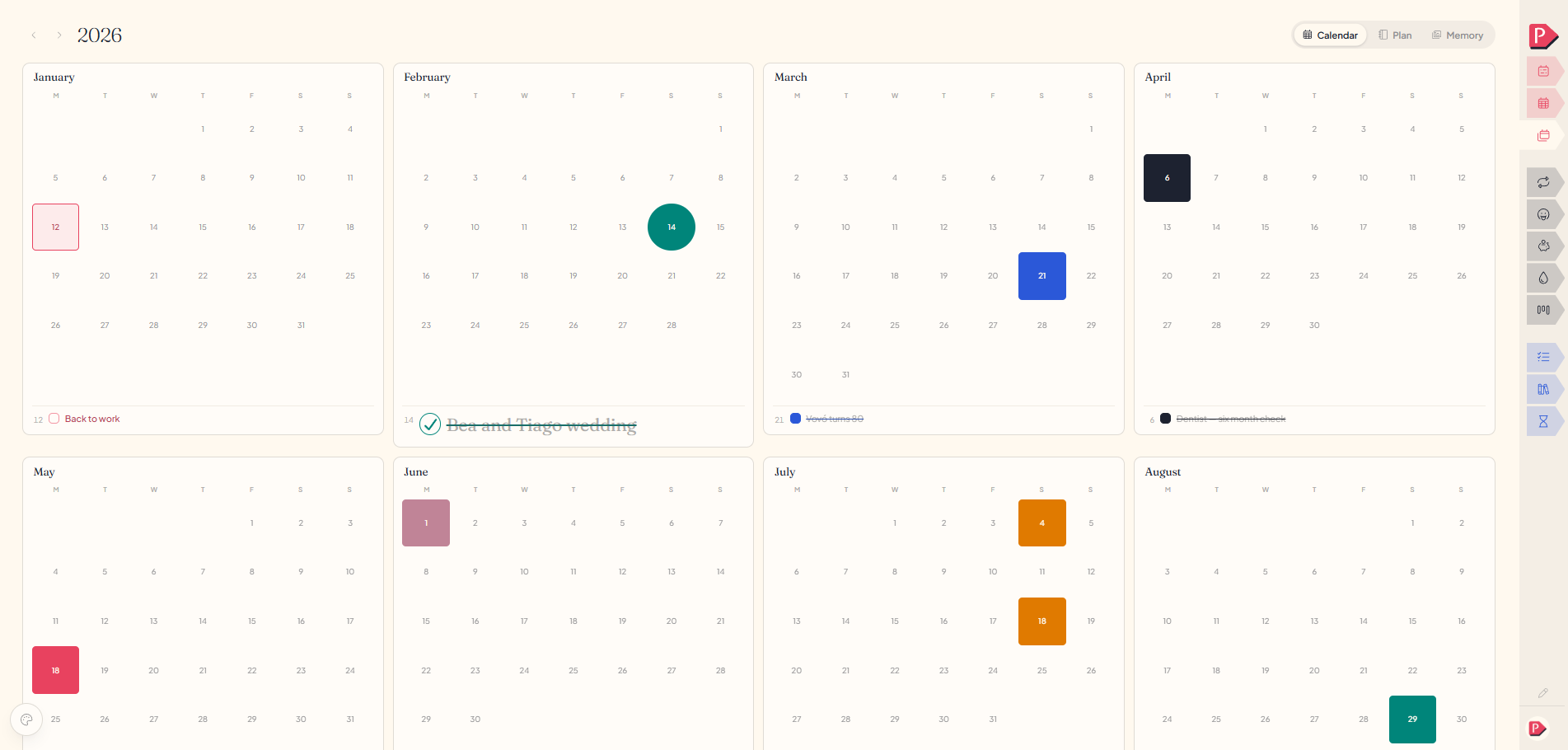
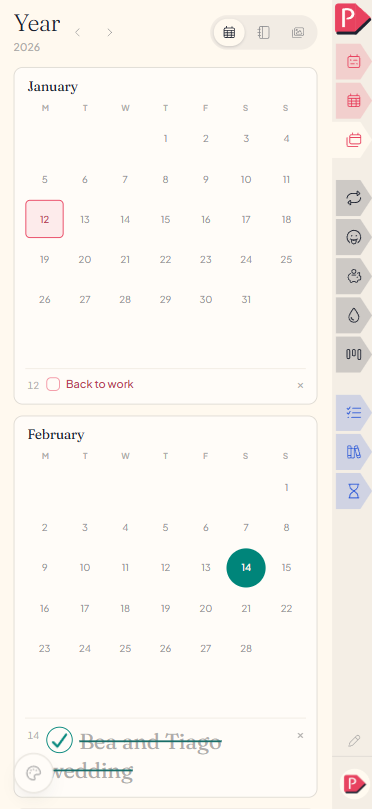
Writing on a date
- Click any date. A small card opens under it.
- Type the words, pick a colour, and choose how the date is drawn.
- Press Enter.
The card stays open, so a date holding three things is three lines typed rather than three cards. Colour and shape carry to the next date you open, so marking a run of days in one colour never means matching it from memory.
Writing on a date on the year calendar
Writing on a date on the year calendar
What the marks on the grid mean
A date takes the shape of the first thing written on it, and a date with nothing on it stays blank. Tick something off and its date fills in solid.
- A ring or a square solid, dashed or dotted, in the colour you chose.
- None for something that's happening rather than something to do.
A date holding more than one thing draws the first, and the rest are in the list under that month, where there's room to read them.
The list under each month
Everything that month holds, in date order, with the day number down the left. Click one to open it: fix the words, tick it off, or open "How it reads" for the typeface, the size and a highlight behind the words. The × at the end takes it away.
same row, same gestures, as everywhere else in the plannerA blocked date shows on the month and the week
A date you block out here is a date the rest of the planner should plan around, so it travels. Open the month it falls in and it's on that day as a lightly drawn suggestion with a + where the tick would be. Open the week and it's there too. Nothing is written until you press the plus.
Taking it on moves it. Kept in the month it becomes the month's; kept in the week it becomes the week's, and only then can it have an hour. It stops being offered elsewhere at the same moment, so one thing never waits on three pages.
The pen mark on a day you journalled
A day you journalled carries a small pen trace under its date number, the same quiet mark the month and the week give a written day. It never says how much you wrote, only that you did. See Journaling.
Questions about the year calendar
The details, for when you want them. Nothing here is required reading.What's the difference between the year's calendar and its plan?
Calendar is the twelve months as dates: things that happen on a day. Plan is what the year is for: tasks with no date on them, seven milestones, and the areas of life you're weighing. See Plan.
What if it isn't something to do, just something happening?
Set the shape to None. A line with no box isn't a task at all: nothing counts it, nothing dims it, nothing strikes it through. A trip, a term, someone's birthday. The date still wears its colour on the grid.
Can I mark a date without writing anything on it?
No, a date needs a word or two, so the month and the week have something to offer you later. Set its shape to None if you'd rather it read as a note than as something to finish.
Why don't my week and month tasks show up here?
The year shows only what you wrote on the year: the handful of dates you blocked out from a long way off. Week and month tasks stay on their own pages, where there is room to read them.
Can I move something to a different date?At your desk
Open the month it's in and drag it across the grid. It keeps its colour, its shape and the year. See Month.