Weekly email
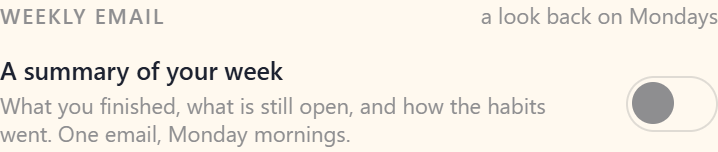
Planye can send one email a week: a look back at the week just gone, on Monday morning, to the address you sign in with. It arrives only if you ask for it, it is free on every plan, and one switch turns it off again.
- Turn it onThe account menu at the foot of the spine, then Profile. Weekly email sits under the address it would be sent to.
- What arrivesWhat you finished, what is still open, how the habits went, and a glance at the week you are starting.
- WhenMonday morning, once a week. Never more than one, whatever else happens.
- What it costsNothing. It is on every plan, Planye+ or not.
- Turn it offThe same switch, or the unsubscribe link at the foot of any one of them. Either takes effect straight away.
Turning it on
- Open the account menu at the foot of the spine and pick Profile.
- Find Weekly email, directly under the Email group showing what you sign in with.
- Flick the switch. The first one arrives on the next Monday, about the week you are in now.
That switch is the whole of it. Signing up puts you on no list, and there is no second setting anywhere else.

What is actually in it
In that order, looking back before looking ahead:
- The headline you wrote on the week, if you wrote one.
- How many of the week's tasks you finished, out of how many were written.
- Your priorities, and whether each one landed.
- The week counted out a day at a time: what was ticked out of what was written, and how many things a connected calendar held.
- A row per habit, with its seven days drawn across it.
- Last, a glance at the week you are starting: up to three tasks and three events.
Only what the week itself holds is counted: a task filed at the month or the year is offered on your week rather than written into it, so it is not counted. A day you paused a habit is drawn as a rest and comes out of its count, so a week you rested comes back as four of six rather than four of seven.
The days gone are counted, not listed
Nothing you wrote on a day is named anywhere in the message. A day says three of five and never which three. It carries only what you titled for yourself, and up to three tasks and three events on the week ahead.
What that means for your data is on Privacy and your data.
A week with nothing in it gets no email
If neither the week gone nor the week starting holds anything, nothing is sent. The same goes for a week written on a device that has not been online since: the summary reads the copy on the server, so a week that never reached the server gets no email either.
Turning it off, from either end
The switch in Your account, the unsubscribe link at the foot of every one of these, and your mail app's own unsubscribe button are all the same setting. The link needs no password and never expires, so one from an archive two years old still works.
Questions about the weekly email
The details, for when you want them. Nothing here is required reading.I opened Your account and there is no Weekly email switch. Where is it?
Directly under the Email group, the one showing the address you sign in with. It is not drawn at all on an account with no email address, since there would be nowhere to send anything.
Do I need Planye+ for this?
No. It is the same email on every plan.
What time does it land?
Monday at ten in the morning UTC, which is seven in Brasília, breakfast across the Americas and late morning in Europe. One moment for everybody rather than each reader's own morning.
Does it count the events from my connected calendar?
Yes, both halves, and only the calendars actually drawn on your week. One you switched off in the picker shows none of them, here as well as there. See Connect calendar.
Monday came and nothing arrived. Why?
Most likely the week was empty on our side, either genuinely quiet or written on a device that has not been online since. Otherwise, check the switch is still on and that the address you sign in with is confirmed, since an unconfirmed address is never sent to.
Why doesn't the email look like my theme?
Email apps decide how a message looks and cannot read the theme you set in Planye, so every one of these arrives in the same light design whatever theme you keep.
Who actually sends it?
Resend, a mail provider we hand the finished message to. What reaches them is your address and the message itself, and nothing else from your planner. No journal page, cycle day, mood or budget line is ever in one of these. They are listed as a subprocessor.
Will turning this on sign me up for anything else?
No. It is the only email you can ask for, and everything else that reaches you from us is a reply to something you did: confirming an address, resetting a password, answering a message you sent.