Closing your account
Closing your account deletes your planner, journal, photographs and recordings from this device and from our servers as you press the button, and nobody, us included, can put any of it back.
- Cancel Planye+Do this first, and where you subscribed. Closing your account does not stop a subscription, and nothing here can end one for you.
- Close itThe account menu at the foot of the spine, then Profile, then the bottom of the panel: Delete my account and everything in it.
- Confirm itType the word it asks for, then Delete everything. It happens as you press, with no waiting period and no email to answer.
- Change your mindKeep my account, at any point before that last press. Nothing has happened until then, and you do not have to close an account to stop using it.
One thing to do first
Closing an account cannot be undone, and there is no waiting period in which to change your mind. What goes, goes as you press the button, and nobody here can put any of it back afterwards. If you are not certain, you do not have to close an account to stop using Planye: signing out clears this device and leaves the account where it is.
These are two separate things, and only you can do the second one. Cancel the subscription where you started it: in the App Store or in Google Play if you subscribed on a phone, and where you subscribed if you did it on the web. Do that before you close the account, or you will go on being charged for a planner that is no longer there.
No part of Planye ends a subscription on your behalf.
Closing it
The same five steps on the web, on iPhone and on Android. Nothing about it has to be asked for by email and nothing is queued for review.
- Open the account menu at the foot of the spine, the row carrying your name and picture, and pick Profile.
- Scroll to the bottom of the panel, past Language, Clock and the rest, to Close your account.
- Press Delete my account and everything in it.
- Type the word the panel asks you to type. It is written in the language you are reading the app in, and it has to match.
- Press Delete everything. You are signed out as it finishes, and there is no screen after it.
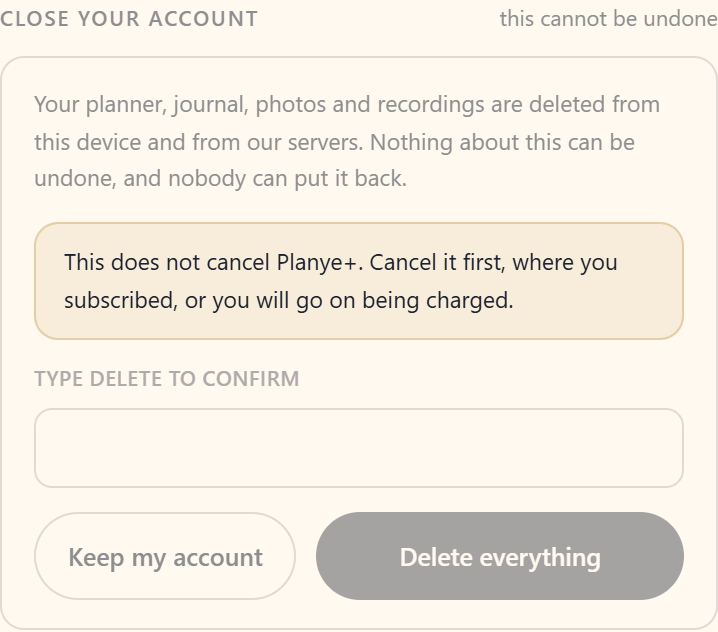
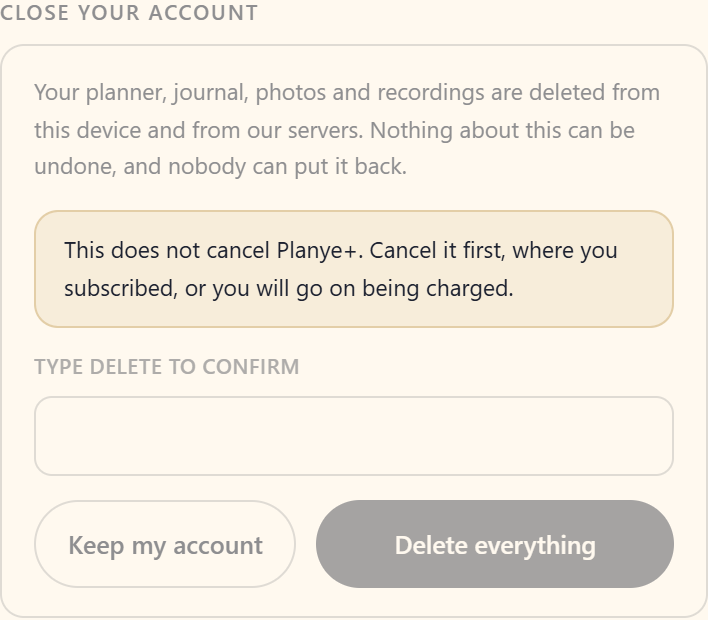
Typing a word is the only confirmation in the whole app, because this is the only thing in it that cannot be undone.
Keep my account is right there, and it costs nothing to pressWhat is deleted, and when
Everything you made goes at once. The rest is the timetable the privacy policy sets, restated here so you do not have to open it.
| What goes | How soon |
|---|---|
| Your planner: every entry, habit, budget, journal page, photograph, voice note and recording, and the deletion markers behind them | At once, as you press |
| Your sign-in record, your name, your profile picture and your settings | At once, with everything else |
| Anything you sent us: a bug report, its screenshots, a feedback post, a vote on somebody else's | At once, with everything else |
| The copy on the device you closed it from | At once, before you are signed out |
| The encrypted backups that were holding any of it | Within 90 days, as those backups roll off |
| Our request logs | Within 30 days, rolling |
| Which account used Planye, from which IP address, in which hour | Six months, as Brazilian law requires, then deleted |
| Payment and invoice records, which hold dates and amounts and no planner content at all | Kept as long as Brazilian tax law requires, currently five years, and for nothing else |
Two things outlive a closed account, and only because the law says so. Payment records, because of tax law: a date, a sum and where it came from, keyed to an identifier that no longer resolves to a person. And the access record, because of the Marco Civil da Internet: which account used Planye from which IP address and in which hour, kept for six months and then deleted.
Deleting something inside the planner is a different act: an entry is marked rather than erased, which is what carries the deletion to your other devices and what makes the five second undo possible. Closing the account removes the markers too.
Your other devices
The device you closed it from is emptied as part of the same press. A second device you were signed into still holds whatever it had already downloaded, and nothing can ever open it again: the account it belongs to no longer exists.
If you would rather it were not sitting there at all, clear that browser's data for Planye, or remove the app from that phone. Either empties it for good.
If you only want a break
You do not have to close an account to stop using it, and nothing here pushes you to.
- Nothing is deleted for going quiet. Come back after a year and your planner opens on the week you left it.
- Nothing nags. No streak is shamed, no overdue count goes red, and no mail arrives asking where you have been.
- The one email there is, the Monday look back, is off unless you turned it on, and one switch turns it off again.
- Signing out clears your planner from that browser and touches nothing on the account. It is the way to take Planye off a shared or borrowed computer; signing back in brings everything down again.
Questions about closing your account
The details, for when you want them. Nothing here is required reading.Can I get my planner back afterwards?
No. There is no grace period, no recycle bin and no copy we can restore from, and that is the reason for the word you have to type rather than an oversight.
Backups exist and they are not an undo. They hold the whole service as it stood on a day, for recovering from our own disasters, and we cannot pull one account out of one to hand back a planner somebody deliberately deleted. Ask us for a copy before you close it, not after.
Does closing my account cancel Planye+?
No, and this is the one thing on the page worth reading twice. Cancel the subscription first, where you took it out: in the App Store, in Google Play, or wherever you subscribed on the web. Close the account without cancelling and the charge carries on, with no account left for us to match it to.
If it has already happened in that order, write to contact@planye.com and we will sort it out. It is a worse afternoon than it needed to be, not a dead end.
Can I close my account from the phone app?
Yes. The same button in the same place, at the bottom of the Your account panel, on the web, on iPhone and on Android. There is nothing here you have to open a laptop for.
It says closing an account is not available right now
That message means something on our side is misconfigured, not that you did anything wrong, and pressing the button again will not clear it.
Write to contact@planye.com from the address on your account and we will close it by hand. The other message, the one asking you to try again in a moment, usually is worth one more press.
Can I keep what I wrote?
Not through a button, and we would rather say so than let you go looking for one. Planye has no export: there is nothing in the app that turns your planner into a file, and closing your account ends what is there rather than handing it over first.
What you do have is the law. Under LGPD article 18 you can ask us for what we hold about you, and we answer within 15 days. Write to contact@planye.com from the address on your account, and do it before you close it rather than after, because afterwards there is nothing left for us to read.
I only want one module gone, not the whole account
Then close nothing. Take the module off your spine and it stops appearing, which is how Mood and Cycle in particular are meant to be turned back off: adding one is how you say yes to it, removing it is how you say no again. What you already wrote in it stays in your planner, though — taking a tab off the spine never deletes anything, so if you want the entries gone as well, remove them on the module's own page first.
What happens to a bug report or a feedback post I wrote?
Deleted with everything else, in the same act: the report, its screenshots, any feedback you posted and any vote you cast on somebody else's. A bug report is your own words about your own planner, so it goes out the same door.
Can I sign up again with the same email address?
Yes. The sign-in record goes with everything else, so the address is free the moment the account closes and nothing here remembers it was ever used.
What you get is a genuinely new planner, empty, on a fresh account. Signing up again is not a way back to the old one.
What happens if I just stop signing in?
Nothing at all. We do not delete a dormant account, we do not thin out an old year, and we do not send mail asking why you have been away. Closing the account is the only thing that removes it.
An account needs closing and I cannot sign into it
Write to contact@planye.com and tell us the address on it. We do this for a parent asking about a child under 13, and for anybody locked out of an account that is theirs. We will ask enough to be sure it is yours to close, which is a protection rather than an obstacle.
Where does this page stop and the policy start?
This page explains and the policy governs. The timetable above is the policy's own table restated, and if the two ever disagree the policy wins. Please tell us if they do, because it means this page has gone out of date.