Themes and colour
A theme changes the whole planner at once: its paper, its ink, the five colours you file things under, and the fonts. Trying one is free and changes nothing you wrote.
- Open CustomizeThe account menu at the foot of the spine.
- Try a themeClick a preset. It takes over the planner straight away.
- Pick an accentOne of the five dots, for today and your buttons.
- Use your own colourThe small wheel past the five swatches, on any colour picker.
Switching themes
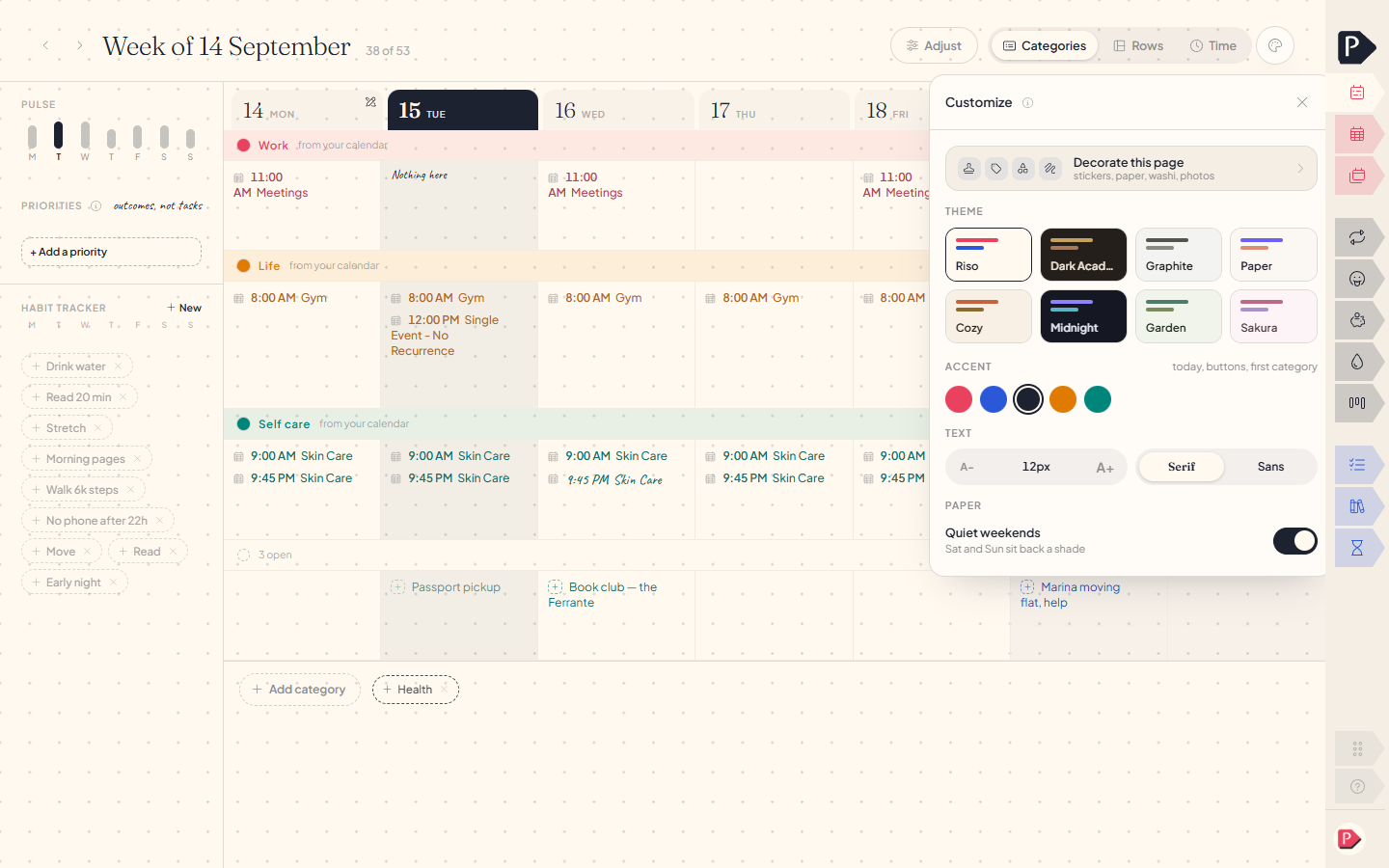
Open Customize from the account menu, click a preset, and it is on. Click another to change your mind. Nothing is written until you keep it.
Trying a theme preset in Customize
Trying a theme preset in Customize
What a theme sets
- The paper, and the blocks laid on it.
- Hairlines, and the three shades of ink.
- Two typefaces, for headings and for the interface.
- How rounded corners are, and the grain over everything.
- The five palette swatches, which is what everything you colour picks from.
The five palette colours
A category, an envelope, a mood and everything else you colour picks one of five slots rather than a fixed colour. Change the theme and the five change with it, so a category you coloured loudest stays loudest in the next theme even though the colour is different.
Picking a colour of your own
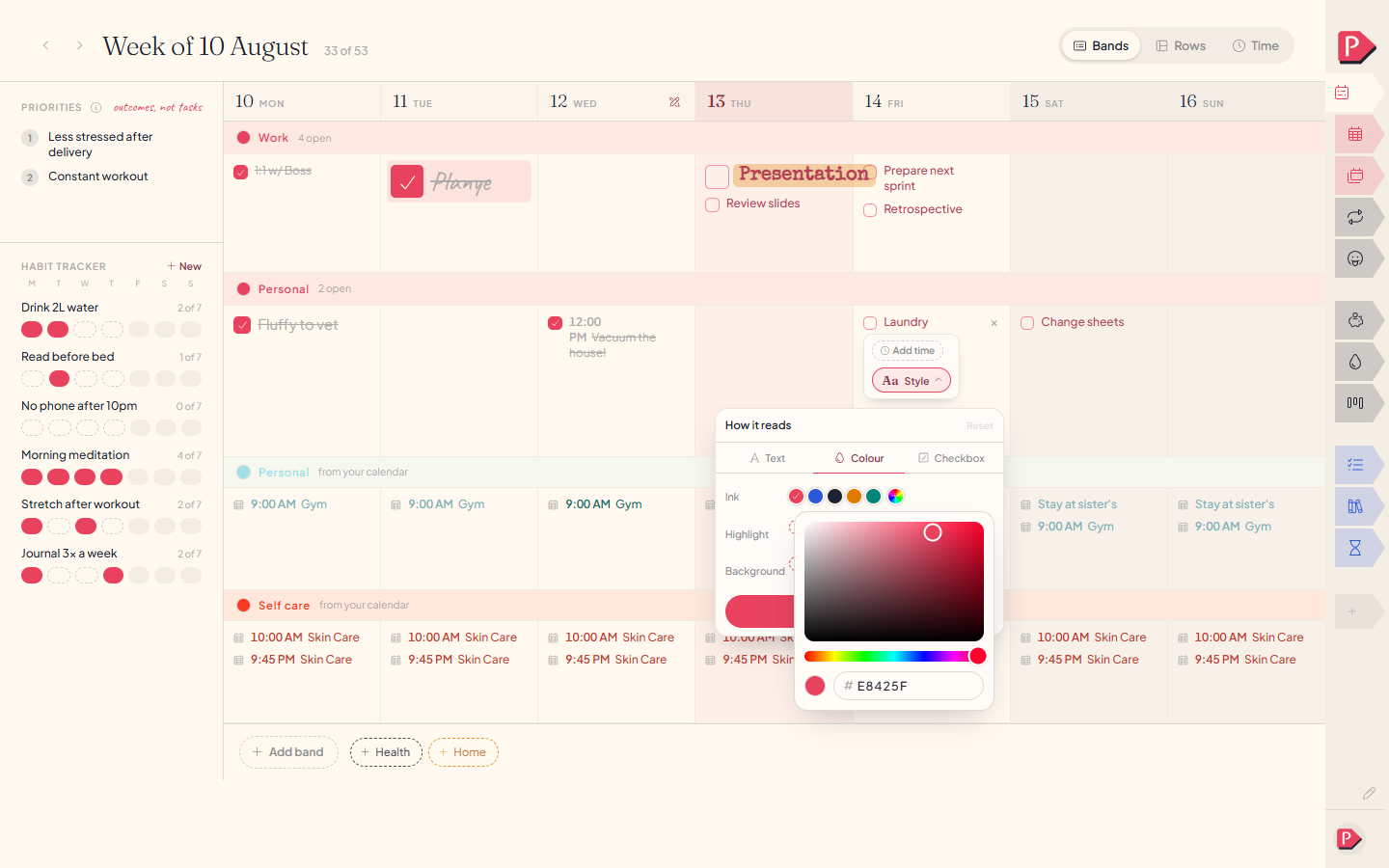
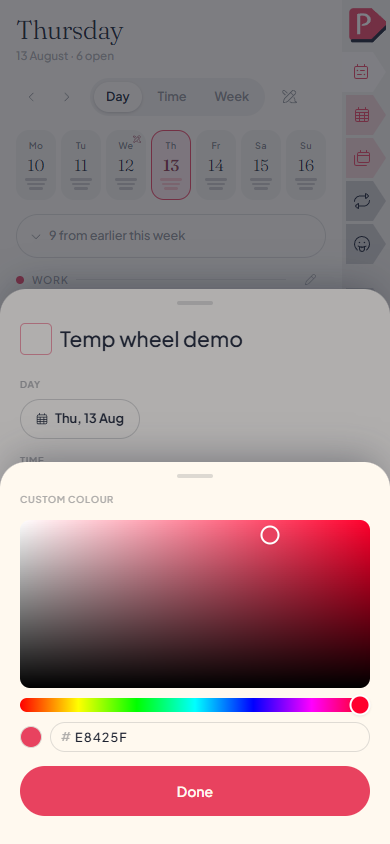
Past the five swatches sits a small wheel with a plus over it: a square of colour to pick from, a slider for the shade, and the hex code underneath if you already know it. A colour picked this way stays exactly as you set it and never changes when the theme does, which is the trade.
Accent: the one highlight colour
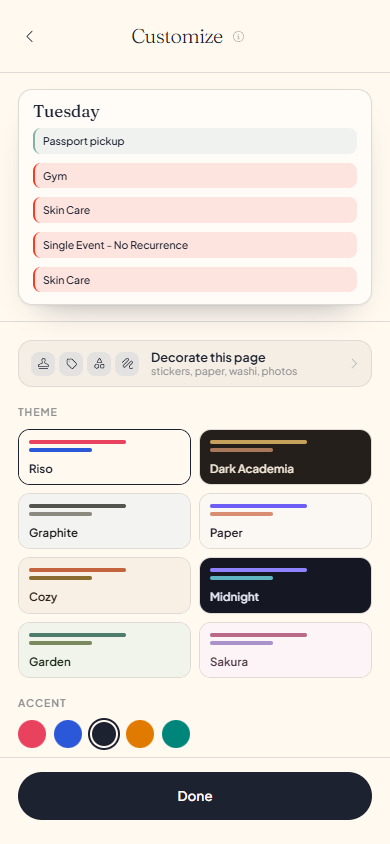
One colour, used sparingly: today's date, the single solid button on a page, and the first category on a fresh account. Five dots sit under Accent in Customize, one per palette swatch. Pick none and the theme's own first swatch stands.
The five accent dots in Customize, one selected
The five accent dots in Customize, one selected
Questions about themes
The details, for when you want them. Nothing here is required reading.If I switch themes, do my categories and envelopes lose their colours?
No. Each one keeps which of the five slots it is wearing, so it is repainted in the new theme's version of that slot. A colour you picked off the wheel stays exactly as it was, since it was never tied to a theme.
Why can I try some presets but not keep them?
A preset you can preview but not keep is not in your current plan. Trying it on writes nothing.
If I pick an accent, do all my categories turn that colour too?
No. The accent lights today, the solid button, and the first category on a brand-new account. A category you have already coloured keeps its own slot.
Can I pick my own font?
Not for the interface: the two typefaces come with the preset. Your own writing is a different matter, and a line can be set in any of four voices. See Styling a line.
Does the theme follow me to another device?
Yes. It belongs to your account rather than the machine, so signing in somewhere else brings it with you.
Why does Help always look the same regardless of my theme?
Help is readable whether or not you are signed in, so it draws in the default look: the same page a visitor without an account sees.