Journal templates
A journal page can start from a base instead of a blank sheet: one of our suggestions, or a page you kept yourself. Applying one slides its paper and its pieces underneath whatever is already there, so it can never cost you a word.
- Open the galleryTemplates, in the journal's tray.
- Use onePress a tile. The page takes its paper and its pieces.
- Keep your ownKeep this page as a template, then name it.
- Change your mindUndo. Nothing you had written is touched either way.
Starting a page from a template
Planye+- Open a journal page and press Templates in the tray.
- Pick from Your templates, or from Our suggestions underneath.
- Press a tile. It is applied to the page straight away.
Applying never removes anything. The template's pieces slide under what is already on the sheet, so a page you have written half of keeps every word and gains a base beneath it. That is why nothing asks whether you are sure.
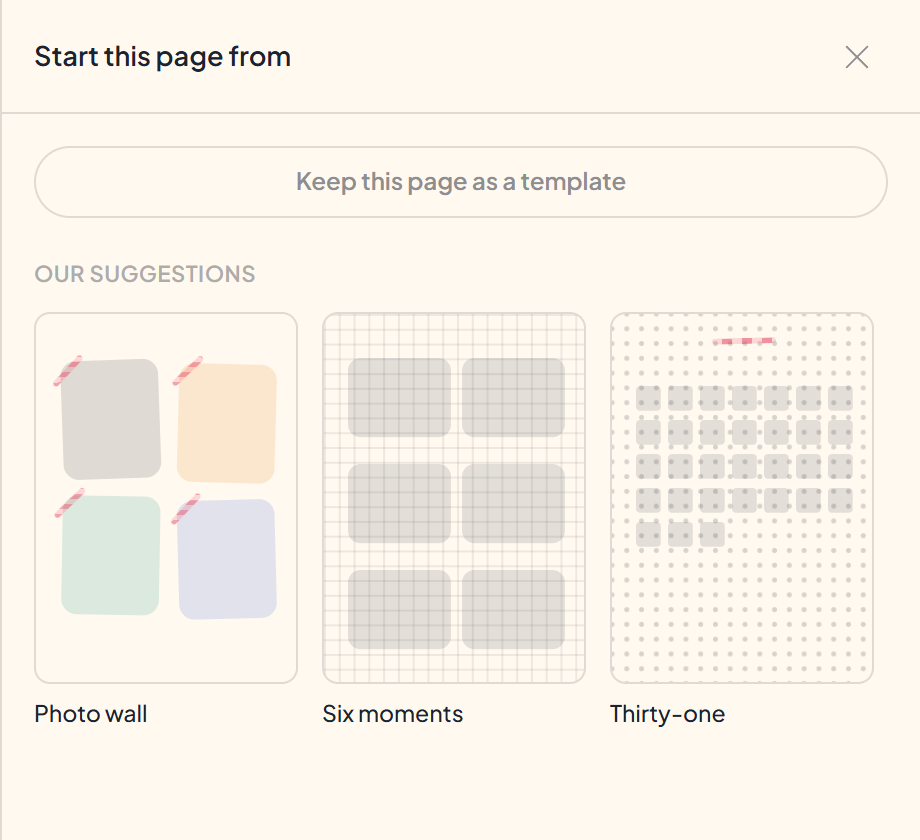
Keeping a page of your own
Keep this page as a template freezes the page you are on and asks for a name. It is a copy: writing on the page afterwards does not change the template, and using the template does not change the page.
Kept templates sit at the top of the gallery under Your templates, offered on every page after. Delete one from the same tile.
What comes across
The paper, and the things arranged on it: writing, tape, stickers, shapes and drawings. Photos and video do not come, because those are your own files rather than a layout, and a template that carried them would put one evening's photographs on every page made from it.
a base to write on, not a page to reuseQuestions about templates
The details, for when you want them. Nothing here is required reading.If I apply a template to a page I have already written on, do I lose it?
No. Applying only ever adds underneath. Everything already on the sheet stays exactly where it was and simply sits on top of the new base.
Do I need Planye+ for this?
To apply one or keep one, yes. Browsing the gallery is free and at full size, so you can see exactly what is there before deciding.
If my subscription ends, what happens to pages I made from a template?
Nothing. Applying copies the template's pieces onto the page rather than linking to it, so a page made this way is an ordinary journal page and stays exactly as written. Your kept templates stay too; what stops is applying and keeping.
Can I apply the same template twice?
Yes, and it does not double up. Pieces already on the page from that same template are recognized rather than written again.
How is this different from a layout on my week?
A layout dresses a planner page and replaces whatever that period was wearing. A template is a base for a journal page and only ever adds. See Decorating a page.