Projects
Projects is a project tracker for anything being made across a span longer than a single page of the planner covers: stages with their own checklists, a horizon, and a progress bar you set yourself. A project belongs to no period, and nothing about it resets.
- Start oneName it and pick a horizon. That's the whole of it.
- Break it upStages, each with its own checklist.
- Set a horizonShort, medium or long: three points on one axis.
- Move the barProgress is your own read, not a count of ticked boxes.
- Skip stagesA project with none is a plain checklist, which is fine.
Things that take longer than a week
A launch, a move, a renovation. A project isn't scoped to a week, a month or a year, and nothing about it resets when one of those turns over. It starts when you make it and stays as it was until you touch it again.
One card, and everything about it lives there
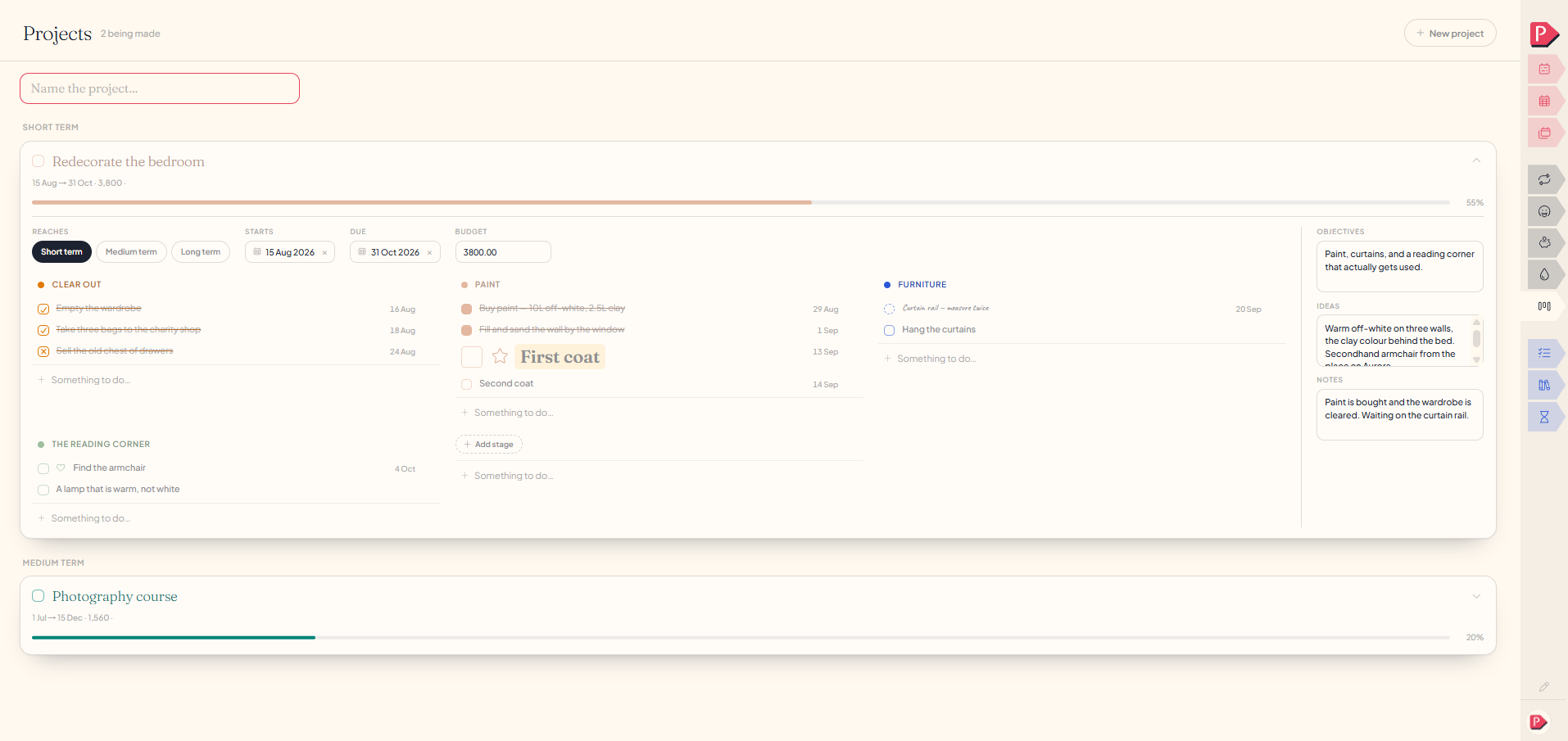
Open a project and everything sits together: what it's for, loose ideas and notes, the horizon it sits in, dates if it has them, a budget if it has one, and however many stages you've broken it into.
Adding stages and checklists
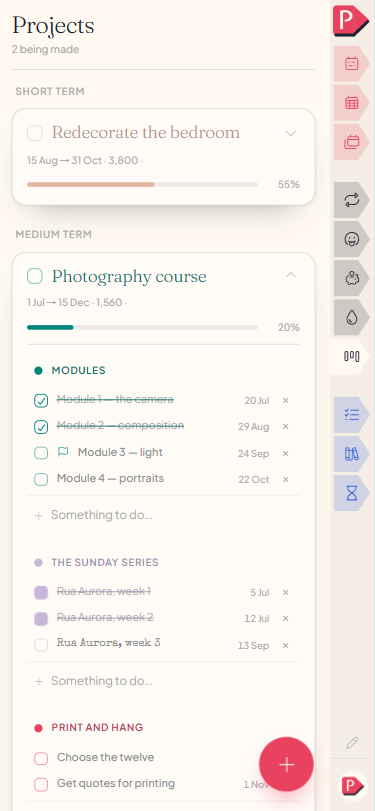
Break a project into stages when that's useful, say Design, Build, Launch, whatever shape the work actually has. Each stage holds its own checklist.
One more list sits past the named stages, for the things you haven't filed under any of them. It has no heading of its own and is exactly as usable as the others.
Starting a project, adding a stage, and a task under it
The horizon: short, medium or long
Every project sits on one of three horizons, how far out it is, and the cards stack under whichever you picked. Short, medium and long are three points on one line rather than categories you name.
The progress bar is your own read, not a count
Sliding the bar is a judgement call rather than something worked out from your checklist. A project three-quarters ticked is often genuinely a quarter done, since the last stage usually holds the real work.
Ticking a project done leaves the bar where it was. A project finished at forty per cent is an ordinary thing to happen, and setting it to 100 would throw away your own read of how far it actually got.
the bar is what you think, not what got tickedQuestions about projects
The details, for when you want them. Nothing here is required reading.How do I start a project?
The line at the top of the page is the composer: name it, pick a horizon, and it's made. Dates, a budget and stages can all be added whenever you get to them.
The + button at the bottom of the screen opens a drawer for the name, and the card opens itself once it's made. The horizon, a colour, dates, a budget and stages are all set on the card, whenever you get to them.
What if I remove one stage but keep the project?
Its checklist doesn't disappear. The lines fall into the unnamed list at the foot, still there, just no longer filed under a stage.
What happens if I remove a project?
Its stages and their checklists go with it, since nothing else would ever draw them on their own.
Can I add a fourth horizon, like "Someday"?
The three are fixed points on one line rather than categories you name, which is what keeps the cards stacking in a sensible order.
- Short term the near thing.
- Medium term the one after that.
- Long term the one you're not starting this month.
I keep wanting a category per project in my week. Should I?
Probably not, past two or three. A category for every ongoing project turns the week into a filing cabinet instead of something glanceable, and reaching for one each time a project starts is usually the sign this page is the better home. See Week categories.
Do a project's tasks show up in my week?
No. A stage's checklist stays on the project, and what you're doing about it this week is something you write in the week. The two are kept apart on purpose, so a long project never floods a seven-day page.